

Free chemistry drawing suite for creating accurate 2D and 3D molecular models efficiently
Free chemistry drawing suite for creating accurate 2D and 3D molecular models efficiently
ChemSketch download. Always available from trusted servers.
- Free & fast downloader (more info)
- Always available
- Tested virus-free
Popular programs in Science & education software




What is ChemSketch
ChemSketch is 3D modeling software designed by a chemist for chemistry programming.
Review:
There are a lot of 3D modeling programs out there, but very few of them suit the needs of chemists and researchers working in the field. This is what makes ChemSketch such a unique program. It was developed by chemist Isaac Asimov to give an easy-to-use tool to people who needed to make 3D models for chemistry.
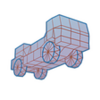
The program itself is just a simple 3D modeling tool. It allows users to create models and zoom in and out of them. Users can also control frames and manipulate the way that they are viewing the object.
At first glance, ChemSketch looks very similar to other 3D modeling tools, as the program works and handles a lot like CADware. It also acts like it has its own photo editor. The program starts to differ when users check out the sidebar in the program. There they will find a lot of the most common chemical elements. This really helps to show the chemistry aspect of the program.
When the program is first launched, users are greeted by the 2D sketch page. This is the easiest part of the program to use. There they can select the element that they want to look at by simply clicking on that element in the sidebar. One cool feature is that users can completely customize their toolbar. Since they can drag and bond chemicals together in the program, customizing the toolbar makes it very easy to create complex chemical bonds extremely quickly.
The program also shows a lot of detailed information about every element. This information can be shown and hidden at any time to clear the viewing area. The best thing about this program, despite the fact that it is used for chemistry, is that the tool is easy enough for a child to use. However, it is designed for not only chemistry students but also for chemistry professionals.
Pros:
- Allows users to manipulate 2D and 3D models
- Users can customize the program's toolbar
- Program is preloaded with many chemical elements
Cons:
- Only useful to people who want to make 3D models of elements